Preview
Review the resource before downloading
Overview
What this template helps you solve
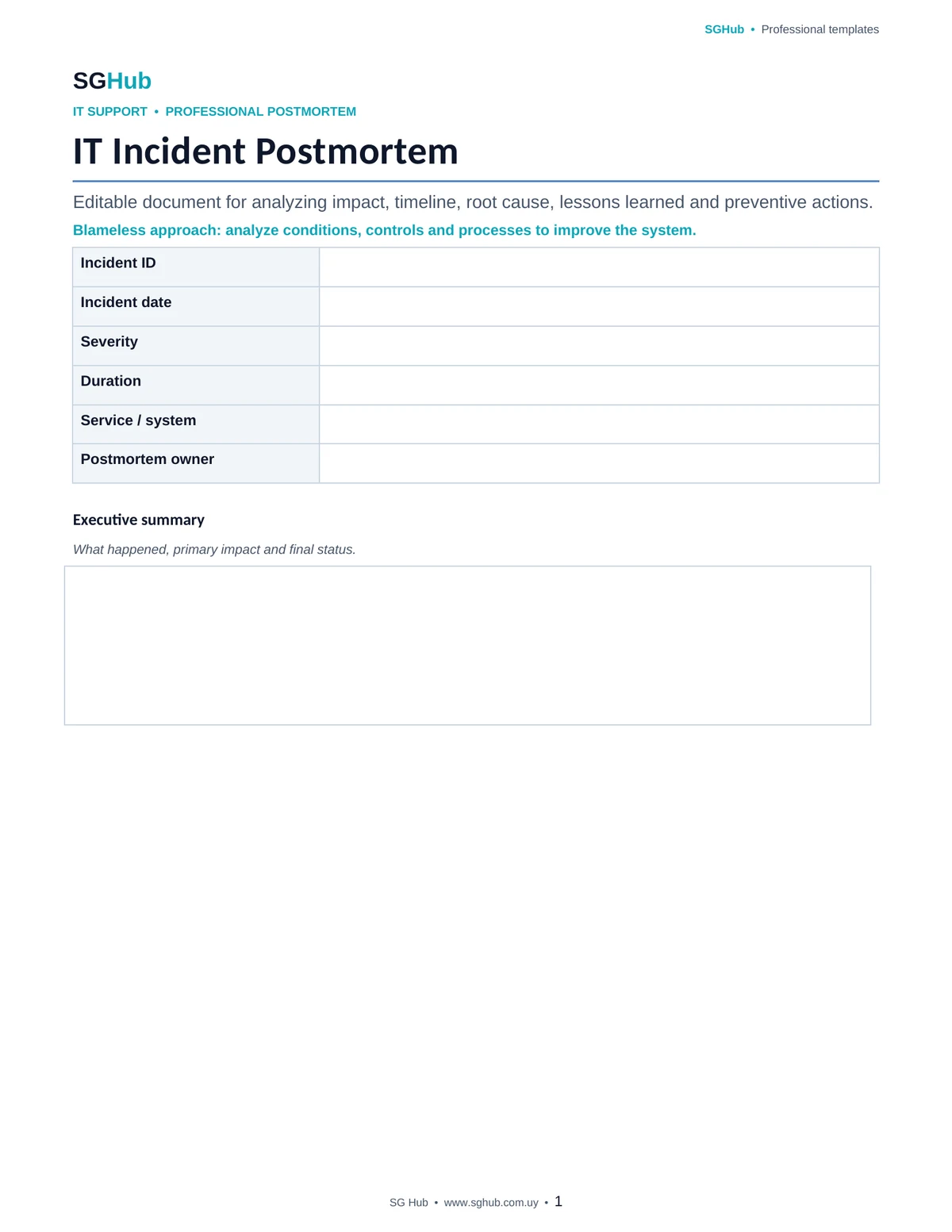
This template is designed to support a structured postmortem after a significant incident involving applications, infrastructure, integrations, data or digital services. It helps reconstruct what happened, when it started, how it was detected, what impact it caused, which decisions were made and which technical or operational conditions allowed the incident to occur. The goal is not to assign blame, but to identify weaknesses in systems, processes, controls, documentation or communication and convert them into verifiable improvement actions.
Audience
Who is it for?
- ✓IT support and application support teams involved in production incidents.
- ✓SRE, DevOps, infrastructure and operations teams responsible for service availability and continuity.
- ✓Developers and technical leads who need to analyze failures and prevent recurrence.
- ✓Functional analysts and product stakeholders affected by incidents in business processes.
- ✓Service Managers, Incident Managers and operations leads coordinating post-incident reviews.
- ✓Small teams that need a simple professional way to document lessons after an incident.
Contents
What is included
- ✓Executive incident summary and final status.
- ✓Date, duration and affected services or processes.
- ✓Description of technical and business impact.
- ✓Detailed timeline from incident start through recovery.
- ✓Incident detection method and detection time.
- ✓Mitigation and recovery actions performed.
- ✓Confirmed root cause or confidence level of the analysis.
- ✓Technical, operational and human contributing factors.
- ✓Controls that worked correctly during the incident.
- ✓Controls, alerts or processes that did not work as expected.
- ✓Key decisions made during incident response.
- ✓What went well and what could be improved.
- ✓Technical and operational lessons learned.
- ✓Corrective and preventive actions with owners and target dates.
- ✓Criteria for verifying that each improvement action was completed.
Application
When to use this template
Analyze a critical production incident after service has been restored.
Document an application, API, database or infrastructure outage.
Review recurring incidents to identify structural causes.
Analyze performance degradation affecting users or business processes.
Document failures related to deployment, configuration, integration or operational change.
Capture lessons after an incident caused by incorrect data or automated processes.
Define preventive actions before a future release or significant change.
Share knowledge with teams that did not directly participate in the incident.
Step by step
How to use it
Step 1
Start with an objective summary of the incident, its duration, affected services and impact before drawing conclusions about the cause.
Step 2
Reconstruct the timeline using logs, alerts, tickets, messages and action records to reduce reliance on memory.
Step 3
Document how the incident was detected and assess whether detection happened when expected or too late.
Step 4
Record mitigation and recovery actions and the result produced by each one.
Step 5
Analyze the root cause while distinguishing it from symptoms, triggers and contributing factors.
Step 6
Identify which controls, alerts, processes or decisions helped limit the impact.
Step 7
Also record which controls or processes failed, were missing or created delays during response.
Step 8
Document what went well, what should change and which lessons can be reused across other systems or teams.
Step 9
Turn each relevant lesson into a concrete action with an owner, priority, target date and completion criterion.
Step 10
Review open actions later and close the postmortem only when committed improvements are being tracked.
Customization
How to adapt it to your situation
- ✓Adapt the level of detail to incident severity: a critical outage requires more depth than a minor event with limited impact.
- ✓Add metrics such as time to detect, time to mitigate and time to recover if your team tracks them.
- ✓Include links to dashboards, alerts, tickets, commits, changes, releases or technical documentation to preserve traceable evidence.
- ✓If multiple departments are involved, add a section covering participants and responsibilities during response.
- ✓You can add an action matrix with priority, effort, owner, target date, status and closure evidence.
Important
What to review before using it
- ✓The postmortem should focus on conditions, decisions and systems that allowed the incident to occur rather than becoming a search for individual blame.
- ✓Do not confuse the immediate trigger with the root cause: a single action may start the incident while insufficient controls allow it to create impact.
- ✓Improvement actions should be specific and verifiable; statements such as “be more careful” are not strong preventive measures.
- ✓Do not include secrets, credentials, tokens or sensitive data in logs, screenshots or references attached to the document.
Avoid these
Common mistakes
- ✓Running the postmortem too late and relying only on participant memory.
- ✓Describing only the technical cause while ignoring process, monitoring, communication or documentation factors.
- ✓Assigning blame to an individual instead of analyzing why the system allowed one action to create an incident.
- ✓Mixing symptoms, triggers and root cause into a single conclusion.
- ✓Leaving out important decisions made during mitigation and recovery.
- ✓Failing to document which controls worked correctly and should be preserved.
- ✓Creating improvement actions that are too general or have no owner.
- ✓Defining actions without a target date or clear completion criterion.
- ✓Closing the postmortem without tracking preventive actions.
- ✓Sharing evidence containing credentials, tokens, personal data or other sensitive information.
Final review
Checklist before finishing
- ✓The incident has a clear executive summary.
- ✓Duration and affected services are documented.
- ✓Technical and business impact is identified.
- ✓The timeline was reconstructed using available evidence.
- ✓Detection method and detection time are recorded.
- ✓Mitigation and recovery actions are documented.
- ✓Root cause is separated from symptoms and triggers.
- ✓Contributing factors have been identified.
- ✓What worked well during response is documented.
- ✓Missing or failed controls and processes are documented.
- ✓Relevant decisions have been recorded.
- ✓Lessons learned are concrete and reusable.
- ✓Each improvement action has an owner.
- ✓Each improvement action has a priority and target date.
- ✓Each action has a verifiable completion criterion.
- ✓No secrets or sensitive data were included in the documentation.
Format
File details
Editable document designed for post-incident analysis of IT and production events. The structure supports incident summary, impact, detection, timeline, mitigation, root cause, contributing factors, lessons learned and corrective or preventive actions. It can be used as an individual document per incident and complemented with tickets, metrics, dashboards, logs, changes and related technical documentation.
Frequently asked questions
Before downloading
What is an incident postmortem?
It is a structured analysis performed after an incident has been stabilized and resolved. It aims to understand what happened, why it created impact, what worked during response and which changes can reduce the likelihood or severity of future recurrence.
When should a postmortem be performed?
It is especially useful after critical incidents, events with meaningful user or business impact, recurring failures, incidents requiring significant escalation or situations that provide valuable lessons.
What is the difference between root cause and trigger?
The trigger is the immediate event that starts the incident, while the root cause explains why the system or process allowed that event to create the observed impact. A strong analysis also considers contributing factors.
Should a postmortem identify the person responsible for the incident?
The main goal should not be individual blame. It is more useful to analyze technical conditions, processes, controls, tools and decisions that allowed the incident and define improvements that make the system more resilient.
What is the difference between a postmortem and root cause analysis?
Root cause analysis is one part of a postmortem. A postmortem usually also covers impact, timeline, detection, response, decisions, lessons learned and improvement actions.
What makes a good preventive action?
It should describe a concrete change, have an owner, priority, target date and a verifiable completion criterion. It should also be connected to the risk or finding it is intended to reduce.
Should the postmortem be shared with the whole team?
It depends on the sensitivity of the content, but sharing lessons with relevant teams helps prevent the same problem from recurring in other services. Review the document for sensitive information before distributing it.
Can I use this template for small incidents?
Yes. You can simplify it and complete only the necessary sections. A minor incident may only need a summary, cause, lesson and actions, while critical incidents usually justify deeper analysis.
Editorial transparency
Resource prepared and reviewed by SG Hub
This page is designed to explain not only what you can download, but also when to use the resource and what to review before applying it in a real situation.