Preview
Review the resource before downloading
Overview
What this template helps you solve
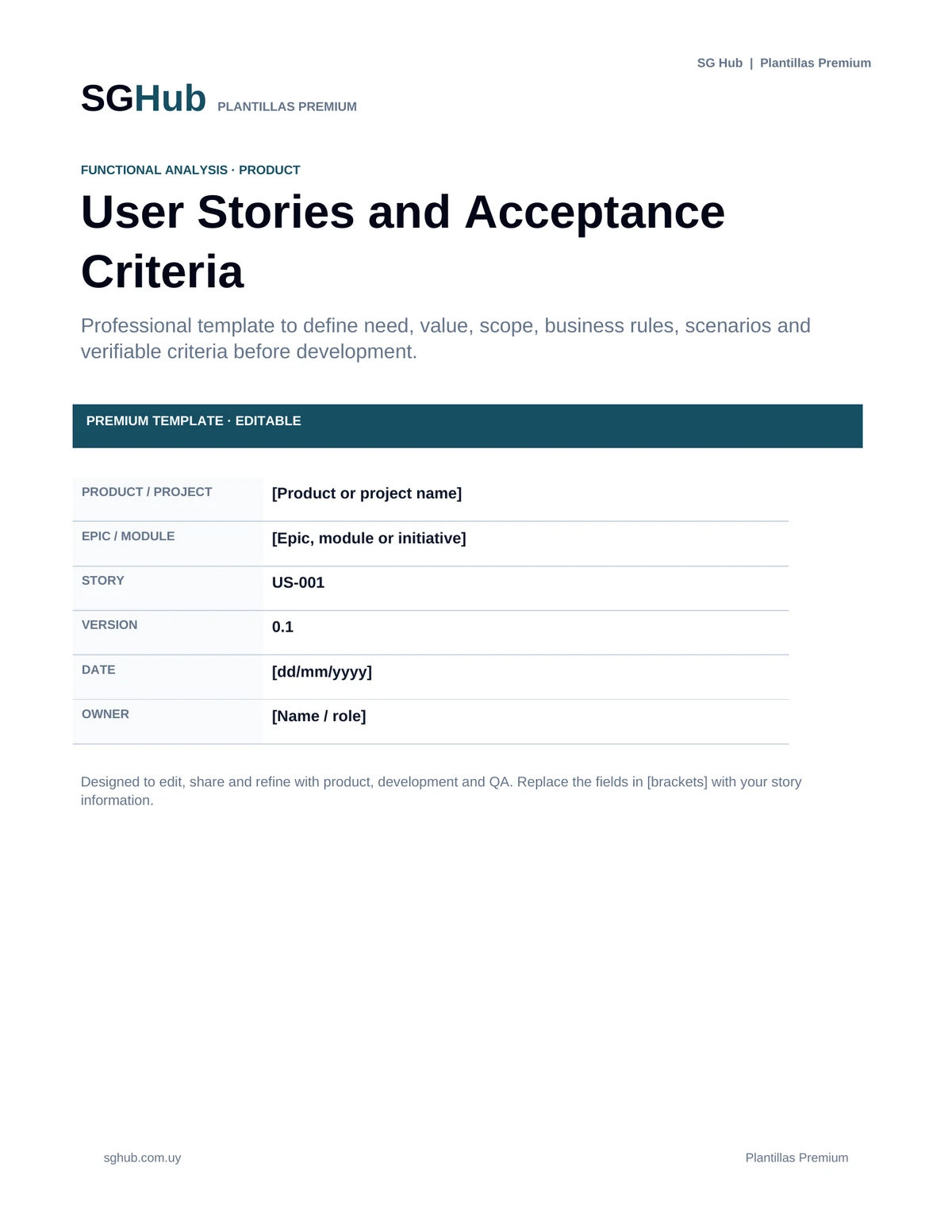
This template helps document user stories with enough context for business, product, development and QA teams to share the same understanding of a need. It combines the classic “As a [role], I want [goal], so that [benefit]” structure with verifiable acceptance criteria, business rules, scenarios, dependencies and refinement notes. It can be used for new features, enhancements or changes to existing products, helping reduce ambiguity and supporting estimation, implementation and validation.
Audience
Who is it for?
- ✓Product Owners and product professionals who need to define and prioritize features.
- ✓Business Analysts and Functional Analysts who gather needs and translate them into user stories.
- ✓Development teams that need to understand the objective, scope and expected behavior of a feature.
- ✓QA and testing teams that use acceptance criteria as a basis for designing tests.
- ✓Scrum Masters, Project Managers and team leads who participate in refinement and planning.
- ✓Clients, key users and stakeholders who validate needs and expected outcomes.
Contents
What is included
- ✓Story identification, priority, status and ownership.
- ✓User story structure: As a / I want / So that.
- ✓Business context and feature objective.
- ✓Included scope and out-of-scope items.
- ✓Clear and verifiable acceptance criteria.
- ✓Main, alternative and error scenarios.
- ✓Associated business rules and validations.
- ✓Dependencies on other stories, modules, systems or services.
- ✓Relevant assumptions, risks and constraints.
- ✓References, evidence, wireframes or related documentation.
- ✓Refinement notes and team decisions.
- ✓Definition of done or final validation conditions.
Application
When to use this template
Define a new feature before adding it to the product backlog.
Prepare stories for refinement sessions with product, development and QA.
Transform a business need into a work item that can be understood and estimated.
Document acceptance criteria that can later be converted into test cases.
Split a large feature into smaller and more manageable stories.
Record business rules or validations that should not remain implicit.
Document enhancements or changes to existing functionality.
Maintain traceability between a need, its implementation and its validation.
Step by step
How to use it
Step 1
Identify the story with a short title, priority, owner and status.
Step 2
Define who the user or role receiving value from the feature is.
Step 3
Describe what that user needs to achieve using a clear and concrete action.
Step 4
Explain why the feature provides value or what problem it solves so the story is not focused only on a solution.
Step 5
Define the scope and separate items that are not part of the current story.
Step 6
Add specific, observable and verifiable acceptance criteria.
Step 7
Document relevant business rules, validations, exceptions and alternative scenarios.
Step 8
Identify dependencies, assumptions, risks and references required to implement the story.
Step 9
Review the story during refinement with product, development and QA and record important decisions.
Step 10
Before considering it ready, verify that the team can understand, estimate, develop and test it without relying on critical assumptions.
Customization
How to adapt it to your situation
- ✓Adapt the structure to your team’s methodology: it can be used with Scrum, Kanban or a hybrid workflow without completing every section for simple stories.
- ✓Use consistent identifiers such as US-001 to connect stories with epics, technical tasks, test cases and defects.
- ✓If a story contains too many independent criteria or scenarios, consider splitting it into smaller stories.
- ✓Add wireframes, screenshots, diagrams or examples whenever they help clarify expected behavior.
- ✓For complex criteria, you can use Given / When / Then to express preconditions, actions and expected outcomes.
Important
What to review before using it
- ✓A user story should not become a technical specification; it should remain focused on the need, expected behavior and delivered value.
- ✓Acceptance criteria should be objectively testable and should not rely on ambiguous statements such as “work properly” or “be easy to use”.
- ✓A story can evolve during refinement, but relevant changes should be recorded so product, development and QA do not work from different interpretations.
- ✓The template should be adapted to the amount of detail each story needs; adding information without value can also make teamwork harder.
Avoid these
Common mistakes
- ✓Writing stories from the system perspective instead of the user or actor receiving value.
- ✓Leaving out the business benefit and describing only the requested functionality.
- ✓Creating stories that are too large and contain multiple independent goals.
- ✓Using vague, subjective or untestable acceptance criteria.
- ✓Confusing acceptance criteria with a list of technical implementation tasks.
- ✓Documenting only the successful scenario and ignoring important validations, errors or exceptions.
- ✓Adding unnecessary technical solutions that constrain the team before alternatives are evaluated.
- ✓Failing to identify dependencies on other stories, services or pending decisions.
- ✓Changing a story after refinement without communicating the change to the rest of the team.
- ✓Considering a story ready for development while critical business or behavior questions remain unresolved.
Final review
Checklist before finishing
- ✓The story has a clear title and identifier.
- ✓The user or role is identified.
- ✓The need is expressed using a concrete action.
- ✓The expected benefit or value is explained.
- ✓The story scope is clearly defined.
- ✓Out-of-scope items are identified when relevant.
- ✓Acceptance criteria are specific and verifiable.
- ✓Relevant business rules are documented.
- ✓Important errors, validations and alternative scenarios are covered.
- ✓Dependencies on other stories, modules or services are identified.
- ✓Relevant assumptions and risks have been reviewed.
- ✓Required designs, wireframes or references are linked.
- ✓The story has been reviewed with product, development and QA.
- ✓The team can estimate the story using the available information.
- ✓The story can be converted into test cases without relying on critical interpretation.
- ✓Status, priority and last review information are up to date.
Format
File details
Editable document designed to support the definition and refinement of user stories in software projects. The structure can be adapted to Scrum, Kanban or other ways of working and can document both simple stories and scenarios with business rules, acceptance criteria and dependencies. It is recommended to keep an untouched original and use a separate copy for each story or related group of stories.
Frequently asked questions
Before downloading
What is the difference between a user story and a functional requirement?
A user story is usually a short description of a need from the perspective of the person receiving value, while a functional requirement can document system behavior, rules and constraints in greater depth. They can be used together.
What structure should a user story follow?
A common structure is “As a [role], I want [goal], so that [benefit].” The important point is not to follow the sentence rigidly, but to clearly identify who needs something, what they want to achieve and why it provides value.
How many acceptance criteria should a story have?
There is no fixed number. It should include enough criteria to define expected behavior and relevant conditions without turning the story into an unnecessarily complex document.
Can I use Given / When / Then for acceptance criteria?
Yes. Given / When / Then is especially useful when describing scenarios with preconditions, actions and expected outcomes in a structured way that can easily be converted into tests.
When should I split a user story?
Consider splitting it when it contains several independent goals, is too large for the expected delivery cycle, has too many scenarios or cannot be estimated with enough clarity.
Should a user story include technical details?
Only when they are necessary to understand a constraint or dependency. In general, the story should focus on the need and expected behavior, while implementation decisions can be documented in separate technical tasks or documentation.
Who should validate acceptance criteria?
Ideally, they should be reviewed collaboratively by product or business, development and QA. This review helps identify ambiguity before the story reaches implementation.
Can I use this template outside Scrum?
Yes. User stories can be used in Kanban, hybrid methodologies and other development processes whenever they are useful for expressing needs, scope and acceptance conditions.
Editorial transparency
Resource prepared and reviewed by SG Hub
This page is designed to explain not only what you can download, but also when to use the resource and what to review before applying it in a real situation.